
Overcoming scratching while engraving stainless tags
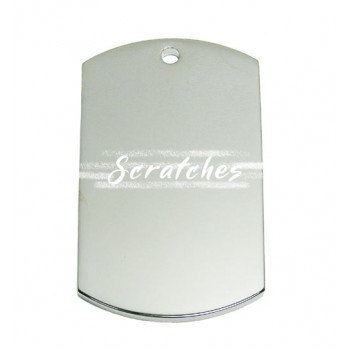
Have you ever tried to engrave on a stainless-steel tag, and no matter what you do, there appears to be a haze-like blur of scratching around your image or text that won't wipe away?
Usually, this is caused by the head-cap, available on some later model Roland impact printers. As the head-cap transits the work-piece it can scratch certain surfaces, especially stainless-steel.
To overcome this scratching, we have noticed that the head cap may be removed prior to engraving. Setting the correct height of the pin above the tag is crucial to a great result. The user manual for your particular machine should have detailed instructions on how to engrave without the head cap.
We have found that by loosening the spindle, then lowering the head (cap installed) so it touches your work piece, and then re-tightening the spindle, raising the head (press button) and then removing the cap, the pin should now be corrected for height.
3 Comment(s)
If you need help setting up your metaza, let me know. I have three years experience and there are a lot of settings that you can make and tweak to have a good quality work every time. Thevworks619@gmail.com
HiI would really appreciate so help with setting the pin height, as I’m constantly getting the blur from the head cap, it’s ruining so many stainless steel pieces ???? Thanks Emma
Hi Emma,
We have found that by loosening the spindle, then lowering the head (cap installed) so it touches your work piece, and then re-tightening the spindle, raising the head (press button) and then removing the cap, the pin should now be corrected for height.
I’ve tried that, without the head cap, the quality of the image is terrible compared to using the head cap
@Marty- Yes, using the head cap is the preferred method. It can be tricky adjusting for height when not using the head cap. Good luck!
hello I do engraving on pendants (small hearts for example) and I want to know if I can export a photo and only engrave the part of the photo on this small heart without my tip overflowing the heart (Can I block my imprint on my material by making a line or something?
You need the electronic templates. You can download them from our site for free. Go to the bottom of the page and it is under Customer Freebies/ Resources.
Leave a Comment